> For the complete documentation index, see [llms.txt](https://docs.viverse.com/llms.txt). Markdown versions of documentation pages are available by appending `.md` to page URLs; this page is available as [Markdown](https://docs.viverse.com/playcanvas-toolkit/building-with-the-playcanvas-toolkit-legacy-v3/custom-code/change-avatars-programatically.md).
# Change Avatars Programatically
Control how users see and express themselves with the .changeAvatar() method on LocalPlayer.
***
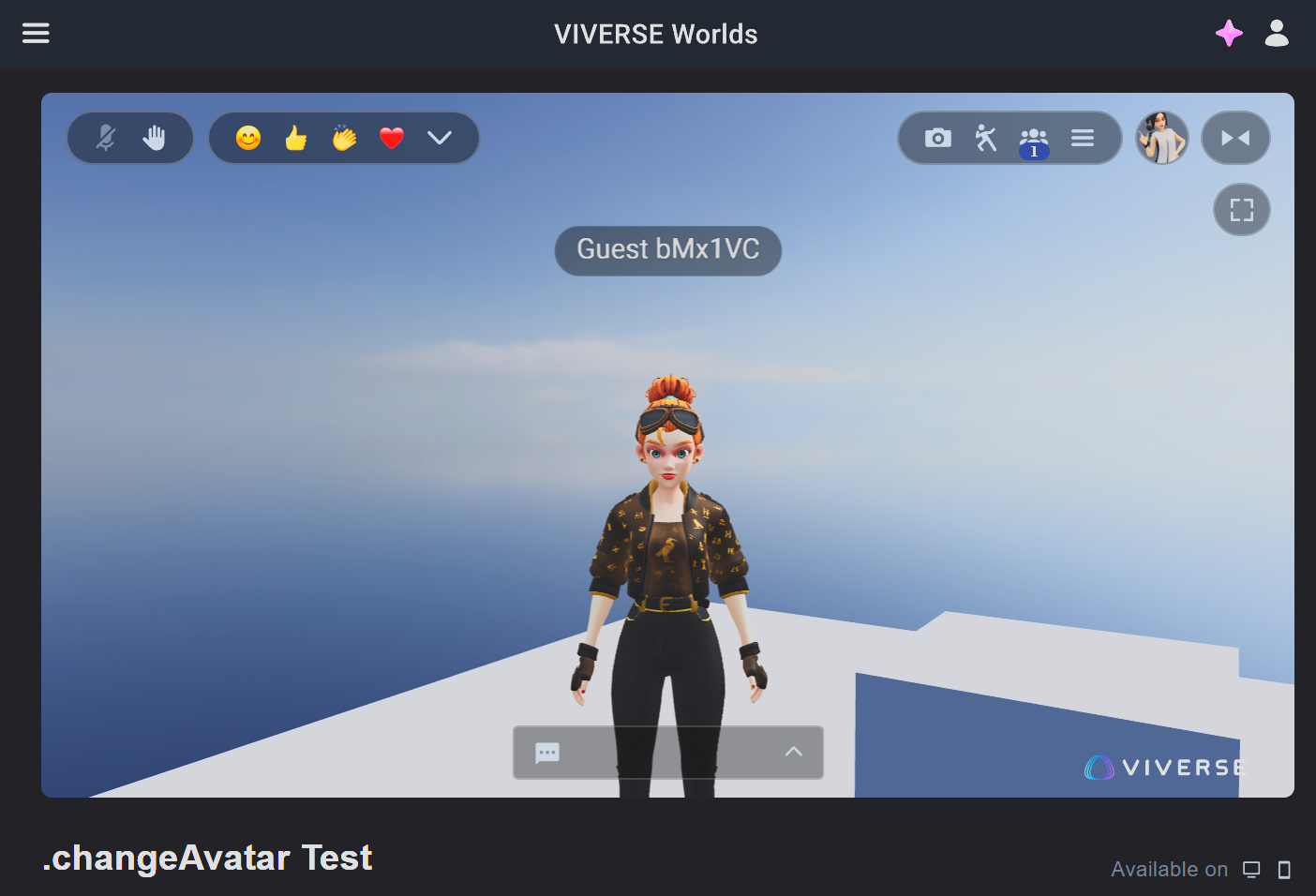
If you don't want to use default VIVERSE avatars for your world, the PlayCanvas SDK features a simple method to swap to any .vrm avatar asset in your project.
[Per the API docs](https://viveportsoftware.github.io/pc-lib/index.html), import the [`PlayerService`](https://viveportsoftware.github.io/pc-lib/interfaces/IPlayerService.html) into your .mjs script, which has a [`localPlayer` property](https://viveportsoftware.github.io/pc-lib/interfaces/ILocalPlayer.html) of type `LocalPlayer`, which in turn has a [`.changeAvatar()` method](https://viveportsoftware.github.io/pc-lib/interfaces/ILocalPlayer.html#changeAvatar.changeAvatar-1).
```javascript
import { Script, Asset } from "playcanvas";
import { PlayerService } from "../@viverse/create-sdk.mjs";
export class VvSwitchAvatars extends Script {
static scriptName = "vvSwitchAvatars";
/**
* @attribute
* @type {Asset}
*/
vrmAsset = null;
initialize() {
this.playerService = new PlayerService();
this.playerService.localPlayer.changeAvatar(this.vrmAsset);
}
}
```
> **NOTE:** *this script asset must be placed in `/scripts` or another subfolder, since it assumes the VIVERSE SDK is one level up, located at: `"../@viverse/create-sdk.mjs"` - or you can alter this import path as needed. For more information on how .mjs scripts and imports work, see* [*Introduction to MJS*](https://docs.viverse.com/playcanvas-toolkit/building-with-the-playcanvas-toolkit-legacy-v3/custom-code/introduction-to-mjs.md)*.*
Because `vrmAsset` is defined as an attribute of type `Asset`, we can then select which asset to use directly in the PlayCanvas editor once the script is added to an entity.
When we publish to VIVERSE and load the experience, the .vrm is loaded immediately. Avatar switching for the local player is possible at any point during runtime and can be triggered with UI, trigger colliders, or with any other programmatic callback.\
\
**Reference Code:**\
[PlayCanvas minimal reproduction project](https://playcanvas.com/project/1350550/overview/changeavatar-demo)\
[Live demo](https://create.viverse.com/DApMQ7h)
---
# Agent Instructions
This documentation is published with GitBook. GitBook is the documentation platform designed so that both humans and AI agents can read, navigate, and reason over technical content effectively. Learn more at gitbook.com.
## Querying This Documentation
If you need additional information that is not directly available in this page, you can query the documentation by asking a question.
Perform an HTTP GET request on the following URL with the `ask` and `goal` query parameters:
```
GET https://docs.viverse.com/playcanvas-toolkit/building-with-the-playcanvas-toolkit-legacy-v3/custom-code/change-avatars-programatically.md?ask=&goal=
```
`ask` is the immediate question: it should be specific, self-contained, and written in natural language.
`goal` is what the user is ultimately trying to achieve, the reason they need the answer. Sharing it helps GitBook give you a better, more relevant answer. A goal is most helpful when it describes the outcome the user wants rather than restating the question. For example, with `ask=how do I create an API token`, a goal like `automate deployments from our CI pipeline` lets GitBook tailor the answer to that use case.
The response will contain a direct answer to the question and relevant excerpts and sources from the documentation.
Use this mechanism when the answer is not explicitly present in the current page, you need clarification or additional context, or you want to retrieve related documentation sections.